
Guides · Talentino Live team · Updated 12 Oct 2026
How to Record a Talent Video on Your Phone
To record a strong talent video on your phone, face a window for soft light, choose a quiet room, keep the phone steady at the right height, and use the rear camera in its highest quality setting. Then record several full takes and pick the best one — no filters, no stitching.
Light comes first
Good light makes a cheap phone look expensive; bad light makes an expensive phone look cheap. Stand facing a window during the day so soft light falls on your face. Avoid standing with a window behind you, which turns you into a silhouette. At night, use one bright lamp placed slightly to the side and in front, and switch off overhead tube lights that flicker or cast green tones.
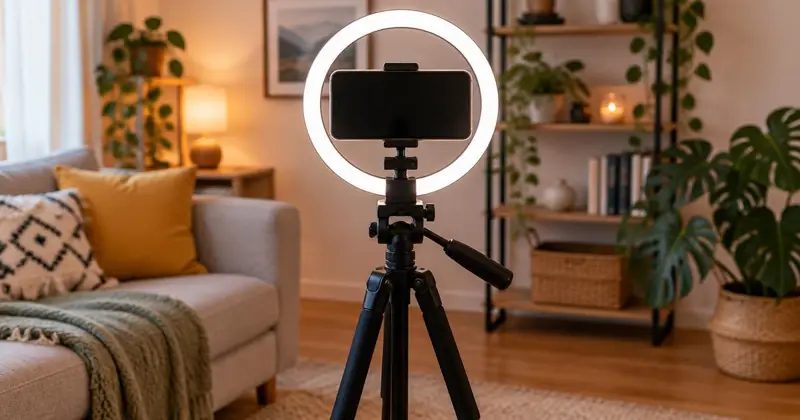
Ring lights are useful but not essential. If you use one, place it slightly above eye level and not too close, or it will create a harsh reflection in your eyes and glasses.
Sound matters even more
Viewers will forgive a slightly soft image but not distorted or echoing sound. Record in a room with soft surfaces — curtains, a bed, a sofa, clothes — and switch off fans and air conditioners. Close windows to cut traffic noise, and tell your household when you are recording.
For singing or acting, the phone's microphone works well at about an arm's length. A basic wired lapel microphone is a worthwhile upgrade for speech. For dance, play the music from a speaker close to the phone so the sound is clear and in sync.
Frame for your category
Singers and actors: face and shoulders, phone at eye level. Dancers and models: full body including feet, phone at waist height, with space around you. Painters and crafters: shoot the work square-on in daylight, and for process videos mount the phone above or beside the work. Filmmakers: plan your shots on paper first.
Keep the background simple and tidy. A plain wall or a neatly arranged corner keeps attention on you.
Keep it steady
Use a tripod, a phone stand or a stack of books. Handheld video wobbles and distracts viewers. Lock focus and exposure by tapping and holding on your face on the screen before you start, so the camera does not hunt during the take.
Use the right settings
Use the rear camera — it is almost always better than the front one. Choose 1080p or 4K at 30 frames per second. Clean the lens with a soft cloth; a fingerprint smudge is the most common cause of hazy video. Switch on airplane mode or do-not-disturb so calls and notifications do not interrupt the recording.
Record full takes
Warm up, then record the complete performance several times. Rest between takes and watch them back with headphones. Submit one continuous take rather than stitching parts together. Contest entries must be your real performance, not AI-generated or altered, so avoid face filters and heavy effects.
Before you upload
Trim any dead time at the start so your performance begins quickly — watch-through counts on Talentino. Add a clear title and a short description. If others appear in your video, make sure they have agreed. Upload on Wi-Fi if you can, and check the entry plays correctly once it is approved.
Frequently asked questions
Do I need an expensive phone to record a contest video?
No. Light, sound and stability matter far more than the phone model.
Front or back camera?
Back camera, for better quality. Use a mirror or a friend to check framing.
Vertical or horizontal?
Follow the contest rules. Vertical fills a phone feed; horizontal suits wide shots and groups.
Can I use beauty filters?
Avoid them. Entries should show your real performance.